
Portals & User Workspaces
Portals & User Workspaces
Section titled “Portals & User Workspaces”Koakademy provides three distinct, role-optimized user interfaces rather than a single monolithic portal. Each workspace is tailored to the workflows, device form factors, and security needs of its intended audience.
1. Administrative Workspace (/admin)
Section titled “1. Administrative Workspace (/admin)”Built on Filament 5, the Administrative Workspace is the mission-control center for School Administrators, Registrars, Department Chairs, Cashiers, and System Maintainers.
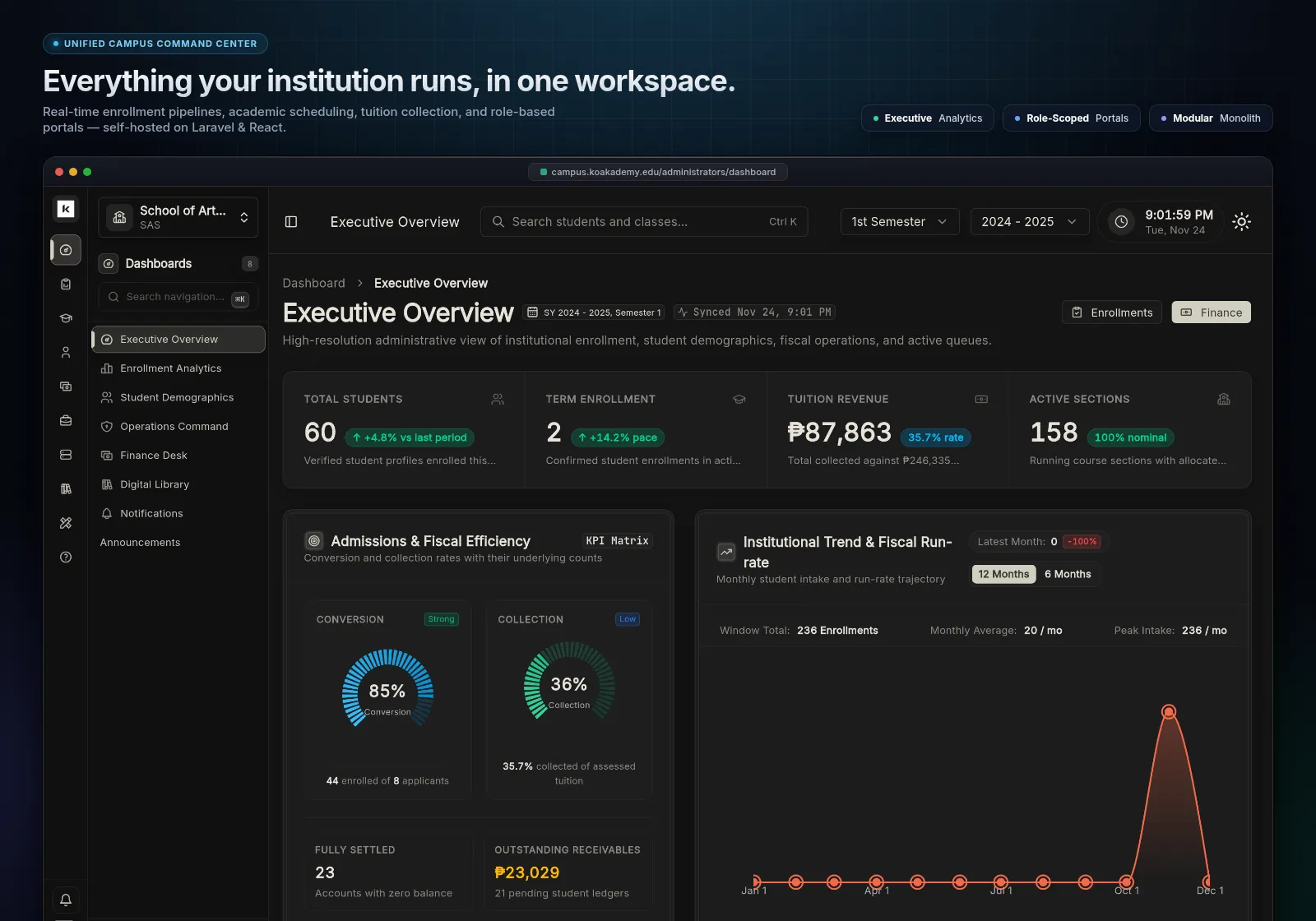
┌────────────────────────────────────────────────────────┐│ [LOGO] Koakademy Admin [Org Switcher: Main] │├───────────────┬────────────────────────────────────────┤│ Navigation │ Dashboard ││ • Dashboard │ ┌────────────┐┌────────────┐┌─────────┐││ • Academic │ │ Total Enr. ││ Outstanding││ Classes │││ • Students │ │ 4,821 ││ ₱1.2M ││ 246 │││ • Enrollment │ └────────────┘└────────────┘└─────────┘││ • Finance │ Quick Actions ││ • Faculty │ [ + Enroll Student ] [ + New Section ] ││ • Settings │ ││ • Modules │ Recent Registrations Table │└───────────────┴────────────────────────────────────────┘Key Capabilities
Section titled “Key Capabilities”- Role-Scoped Navigation: Over 30 granular roles (governed by Filament Shield) ensure registrars only see academic records, cashiers only see billing/collections, and system admins see infrastructure tools.
- Organization Switcher: Instantly switch between branch campuses or school divisions without logging out.
- Bulk Spreadsheet Tools: Import students, curricula, faculty loading sheets, and tuition adjustments directly from Excel templates.
- Audit Log Inspection: Full chain-of-custody tracking showing who edited records, with IP addresses and before/after JSON diffs.
2. Faculty Portal (/faculty)
Section titled “2. Faculty Portal (/faculty)”Built with Inertia 3 and React 19, the Faculty Portal provides teaching staff with a fast, modern single-page application for managing their classroom duties.
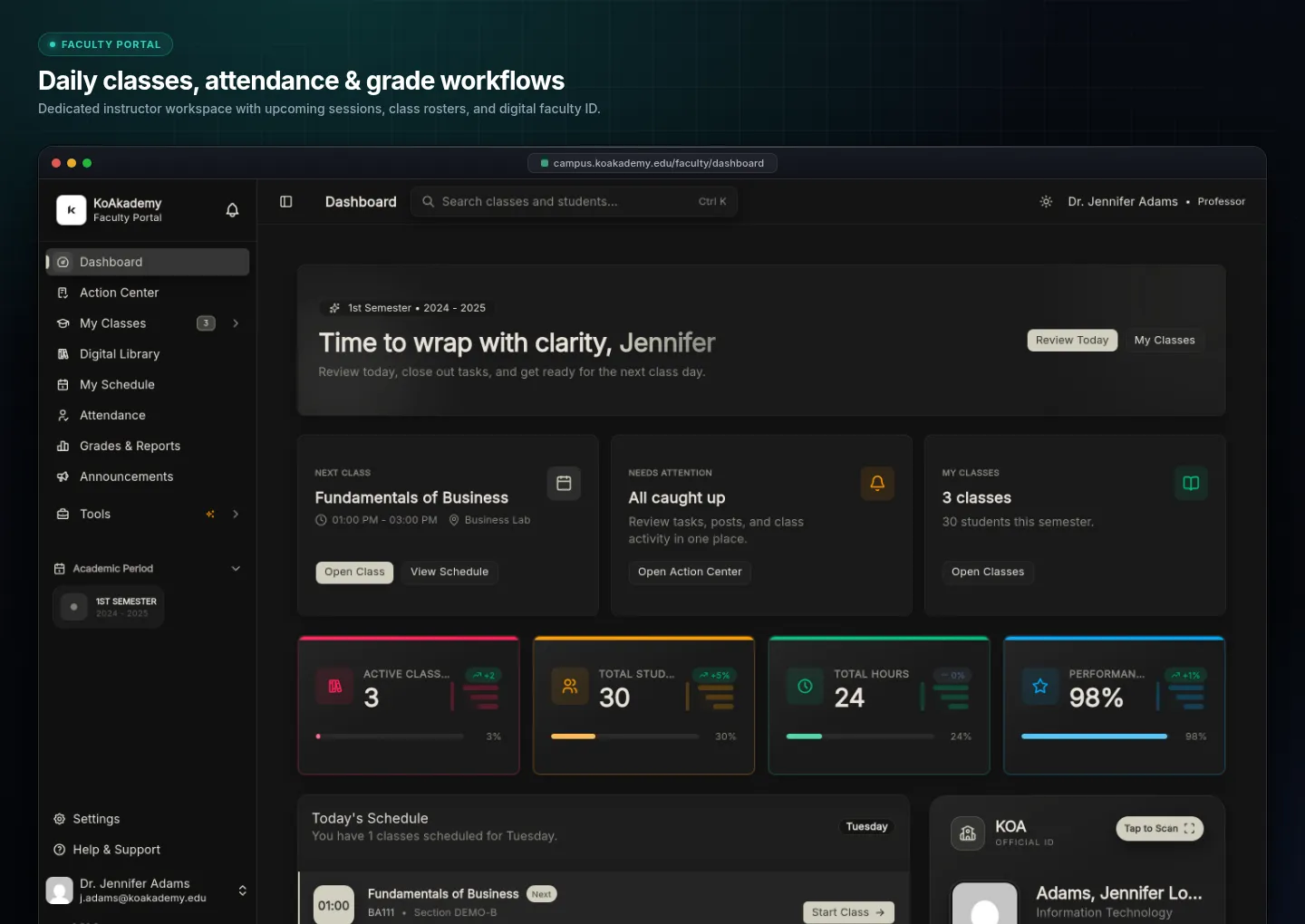
┌────────────────────────────────────────────────────────┐│ Koakademy Faculty [AY 2026-2027, 1st Sem] [User] │├────────────────────────────────────────────────────────┤│ My Classes ││ ┌───────────────────────┐ ┌─────────────────────────┐ ││ │ CS 101 - Section A │ │ IT 204 - Section B │ ││ │ MWF 8:00 AM - Room 101│ │ TTh 1:00 PM - Lab 302 │ ││ │ Enrolled: 38/40 │ │ Enrolled: 32/35 │ ││ │ [ Attendance ] [Grade]│ │ [ Attendance ] [Grade] │ ││ └───────────────────────┘ └─────────────────────────┘ ││ ││ Action Center ││ • 4 Pending assignment submissions in IT 204 ││ • Midterm grading deadline in 3 days │└────────────────────────────────────────────────────────┘Key Capabilities
Section titled “Key Capabilities”- Interactive Attendance Sheet: Mark students Present, Late, Absent, or Excused with a single tap. Summarizes attendance percentages and flags attendance risks automatically.
- Gradebook & Finalization: Enter prelim, midterm, and final marks with auto-calculated weighted averages. One-click submission locks grades and notifies department chairs.
- Class Feed & Announcements: Post lecture notes, homework guidelines, and syllabus updates directly to enrolled students.
- Student Submission Ingestion: Accept digital assignments, track late submissions, and return teacher feedback.
3. Student Portal (/student)
Section titled “3. Student Portal (/student)”Built with Inertia 3, React 19, and Tailwind CSS 4, the Student Portal is a responsive, mobile-first progressive web application (PWA) designed for students on smartphones and tablets.
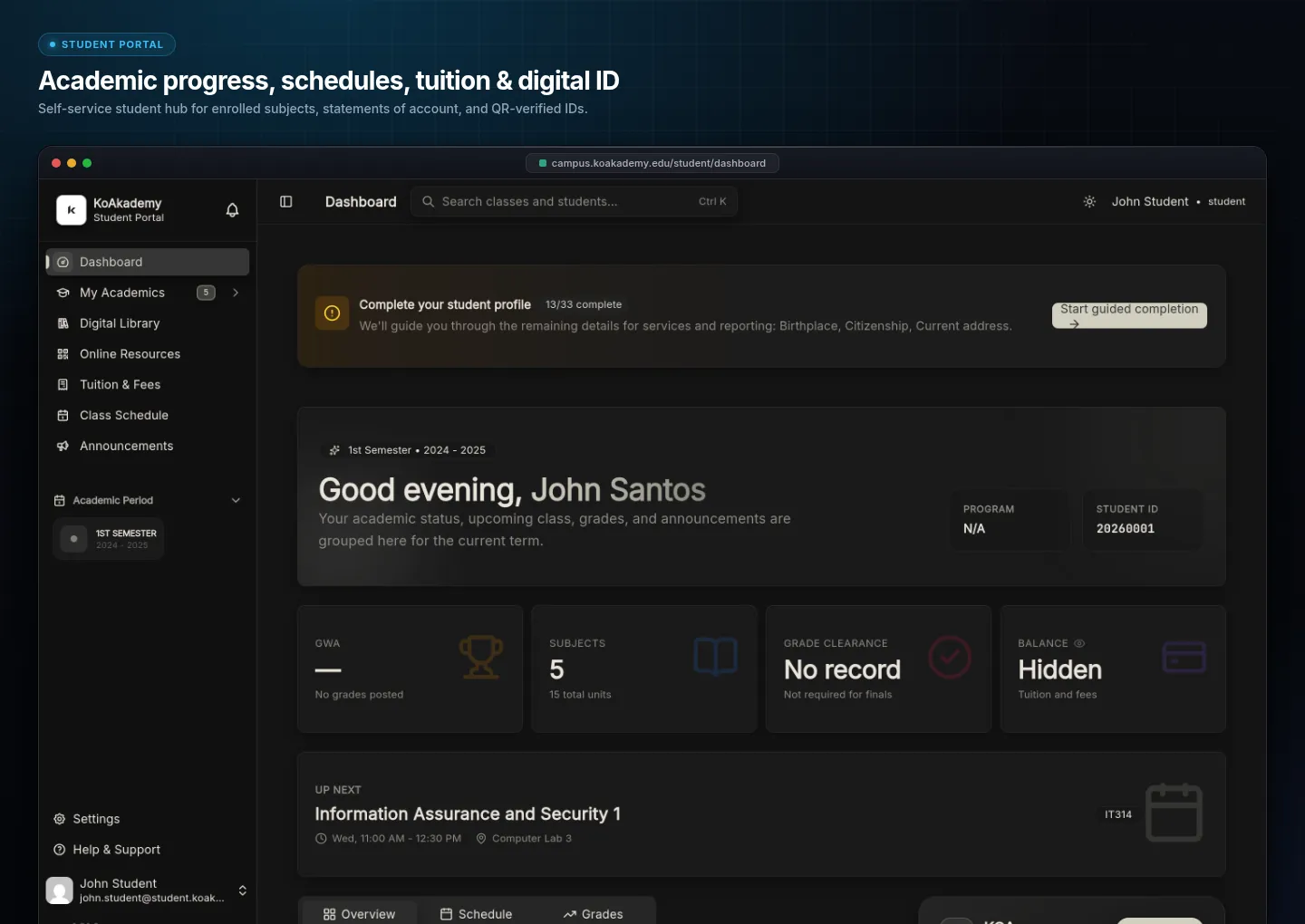
┌──────────────────────────────────────┐│ JUAN DELA CRUZ [ID CARD] ││ BS Information Technology │├──────────────────────────────────────┤│ TODAY'S SCHEDULE ││ ┌─────────────────────────────────┐ ││ │ CS 101 - Introduction to CS │ ││ │ 8:00 AM - 10:00 AM • Room 101 │ ││ └─────────────────────────────────┘ ││ ┌─────────────────────────────────┐ ││ │ IT 204 - Web Systems Lab │ ││ │ 1:00 PM - 4:00 PM • Lab 302 │ ││ └─────────────────────────────────┘ ││ ││ FINANCIAL OVERVIEW ││ Outstanding Balance: ₱4,500.00 ││ Next Due Date: Oct 25 (Midterm) ││ [ View Full Statement ] ││ ││ QUICK ACCESS ││ [ Grades ] [ Timetable ] [ Clearance│└──────────────────────────────────────┘Key Capabilities
Section titled “Key Capabilities”- Visual Timetable: A clear, color-coded weekly schedule showing start/end times, room locations, and professor names.
- Financial Account Overview: Live ledger showing assessed tuition, posted payments, current balances, and downloadable Statement of Account PDFs.
- Academic Grade Cards: Real-time visibility into midterm and final grades as soon as they are approved by the registrar.
- Digital ID Card: Instant access to the mobile student ID with QR verification token for campus gate entry and library borrowing.
- Clearance Tracker: Live departmental clearance status highlighting any active library, cashier, or departmental holds.