
Guided for first-time setup
Follow seven stages in order, with a progress rail, examples, recommendations, and contextual help.
Enrollment Blueprints let a school administrator configure the full enrollment journey without editing code or JSON. A blueprint answers seven practical questions:
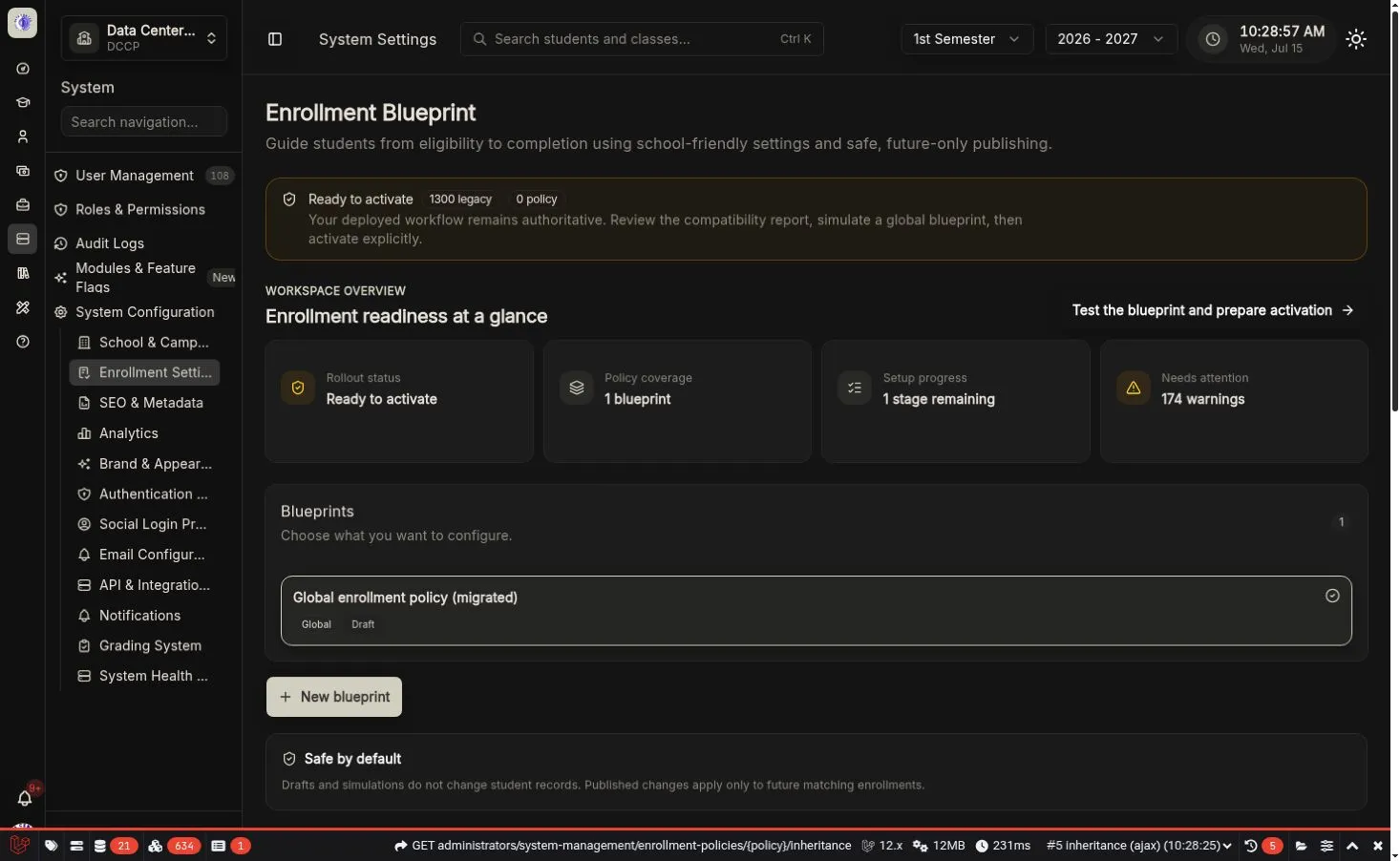
The overview keeps rollout state, coverage, unfinished work, warnings, and the next action visible before editing.
Guided for first-time setup
Follow seven stages in order, with a progress rail, examples, recommendations, and contextual help.
Fast for returning administrators
Jump directly to any stage, override inherited values, test, and publish a focused change.
Safe for deployed schools
Legacy enrollment remains active until an authorized administrator explicitly activates the engine.
Extensible for open source
Community handlers use stable keys and optional operator metadata. Executable class names are never stored in policy files.
| Term | Plain-language meaning |
|---|---|
| Blueprint / policy | A named set of enrollment rules for a defined group of students. |
| Scope | The school, student type, program, school year, or semester the blueprint covers. Blank scope means global. |
| Inheritance | Reusing settings from a broader published blueprint. |
| Override | A deliberate local change that replaces an inherited value. |
| Draft | The editable working version. |
| Published version | A permanent, validated version that can be selected for future enrollments. |
| Snapshot | The complete compiled policy pinned to one enrollment. |
| Simulation | A no-write preview of eligibility, assignment, fees, workflow, messages, and blockers. |
| Legacy runtime | The previously deployed enrollment logic and settings. |
| Policy runtime | The versioned enrollment engine used after explicit activation. |