
Simulation, publication, activation, rollback, and backup
Simulation, publication, activation, rollback, and backup
Section titled “Simulation, publication, activation, rollback, and backup”The last stage separates four different operations so an administrator always knows what changes live behavior.
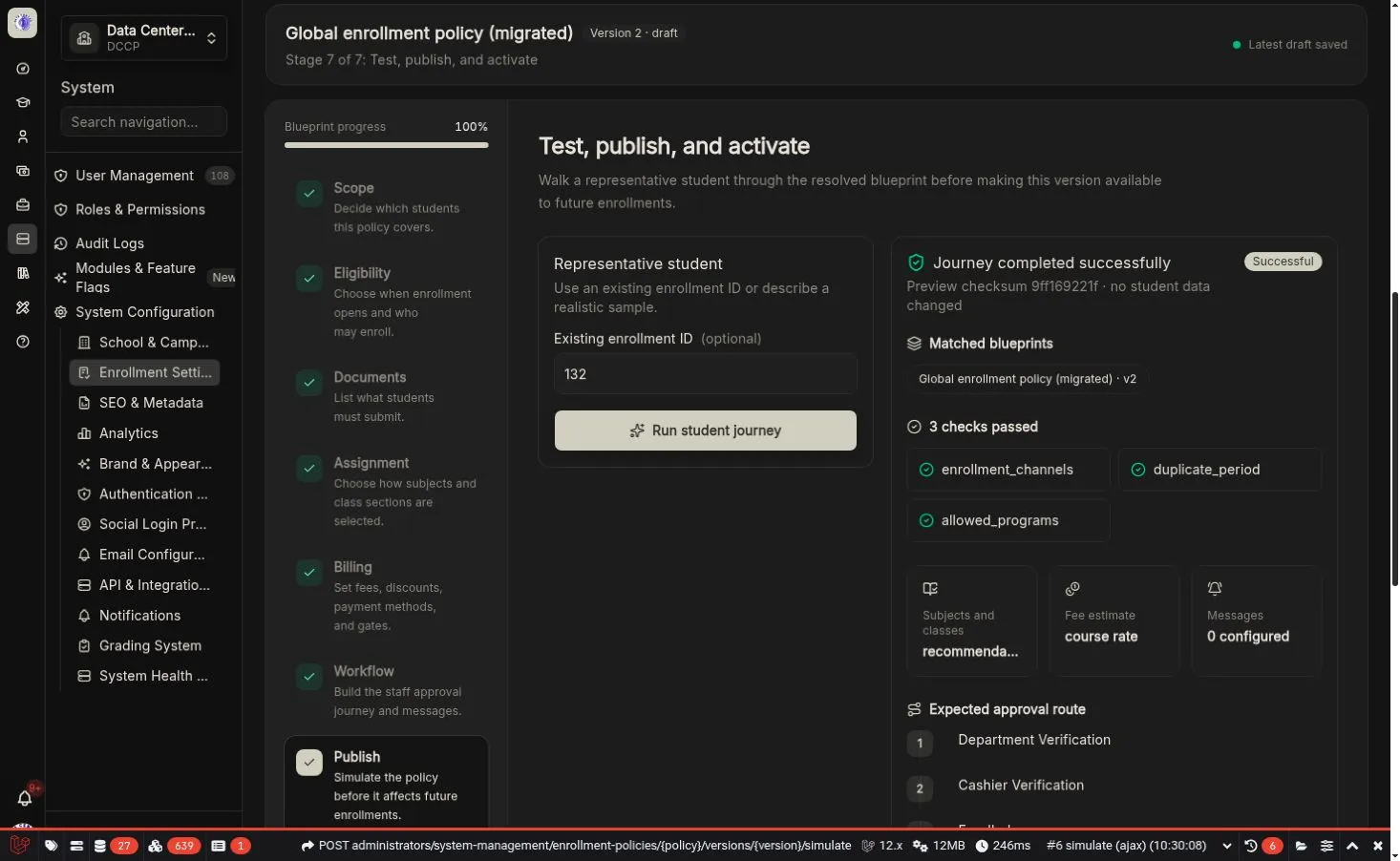
A successful journey names every matched policy and confirms that no student data was changed.
Simulation
Section titled “Simulation”Choose an existing enrollment ID or describe a representative sample student. The server resolves every matching policy layer while substituting the current saved draft at its scope.
The visual journey reports:
- Matched blueprint names, scopes, and versions
- Source provenance
- Checks that passed
- Blockers with Review setting links
- Selected subject and class strategy
- Fee estimate and payment gate
- Expected approval route
- Notifications
- A deterministic checksum
Publication readiness
Section titled “Publication readiness”The publish action requires:
- All draft changes saved
- Full validation completed
- A successful representative simulation with no blockers
- A meaningful change note
- The exact simulated checksum
A published version is immutable. Editing a published policy creates a new draft.
Activation
Section titled “Activation”Activation controls which runtime future enrollments receive:
- Flag off: new enrollments remain legacy.
- Flag on: new enrollments use the active compiled policy.
- Existing policy enrollments continue through their pinned snapshot even after deactivation.
Activation requires an active published global blueprint, a successful compatibility report, full validation, and representative simulation.
Rollback
Section titled “Rollback”Rollback selects an older immutable published version for future matching enrollments. It does not rewrite the current version, snapshots, statuses, events, or existing enrollments.
Backup export
Section titled “Backup export”Use Download backup to export schema-versioned configuration. The file contains stable handler keys and data only—never PHP class names, scripts, closures, or arbitrary formulas.
Backup import
Section titled “Backup import”Import is under Advanced:
- Choose a trusted KoAkademy JSON backup.
- Review the human-readable count of checks, documents, and workflow steps.
- Import it as a new draft.
- Review every guided section.
- Save, simulate, and publish normally.
Unknown handlers, unsupported schema versions, executable classes, scripts, code fields, arbitrary URLs, and unapproved option sources are rejected.
Recommended simulation set
Section titled “Recommended simulation set”- A typical passing student
- A student blocked by one academic requirement
- A student with an outstanding balance
- A student at class capacity
- A student matching the most specific combined scope
- Each public, administrator, continuing, and API channel the school supports